Friday, 29 April 2016

Battle Arena Texture changes, and statue

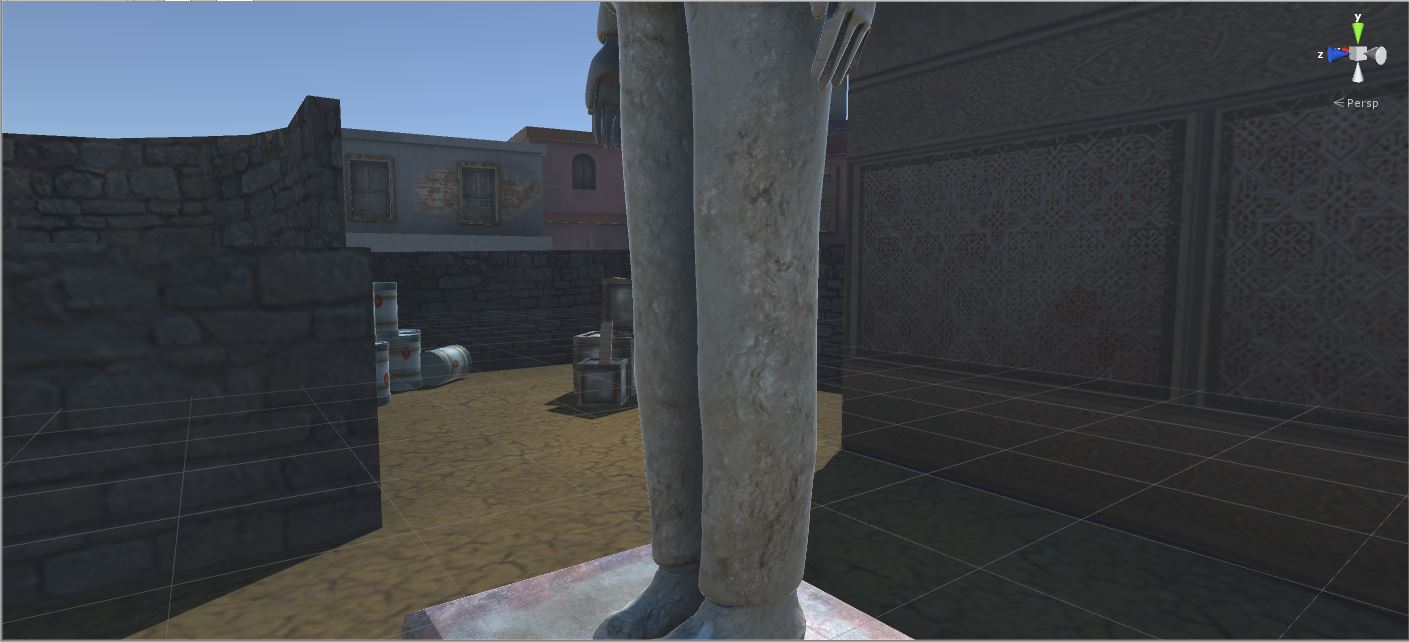
Screenshots of the changes made to the walls in the battle arena as well as additional assets and improvements.


Battle Arena Statue textures


Texturing the Statue- UV editing


I had to manually UV edit every side of my statue which included the body, head and the hat.

the results turned out well, I managed to unfold the textures to the point where the textures wouldn't stretch and the edges where hidden


Friday, 8 April 2016

GoD cobblestone monster design


[text]the original design concept for the monster created from the debri of the destroyed city. the monster has the gems in his scull functioning as eyes.


Art bible for the cobblestone monster design.

originally the monster was formed from different parts and animated to walk, attack, stand, and jump.
but then due to coding I had to change the design to a spritesheet animation for the walking and attacking animation
^ walking sprite sheet


^ attacking sprite sheet
references to the cobblestone monster design, black and white images of blitzs London bombing.


GoD portal/magic bolt


Originally created as a portal to progress in the game but with change in the portal design this work has instead been used for the player's weapon. The magic bolt has 7 frames of animation but because its a small fast object its just enough.


the designed has been created with grayscale with overlay colour. the animation includes changing green energy ray and blue and purple cloud.


GoD Health System

Health system by Oskar Wadowski and Jai Morrison.

this is a fully functional health system that works with a canvas, the script works around a canvas and displays player health. if the player attacks the enemy they gain health and if the enemy does damage to the player they lose health, once health score reaches 0 or less the game restarts. this was unfortunately not implemented into the game because of time and coding structure of the game creating problems.


g


Gems of Destruction One Sheet


Title: Gems of Destruction

The X Simple Arcade game set in fictional world where peace is controlled by the collection of 5 very powerful gems of destruction that contain powerful evil harvested from the world, splitting the gems and sending them to different parts of the world would unleash the evil powers and demonic souls that would transform the terrain around them into dark evil creatures, monsters and cursed environments. The Protectors of the Gems are monks on the hills of Outa, where in their village they guard the gems from ever breaking apart. After total demolition of the Village by powerful lord, the last standing monk survives the battle- his job is to recover the gems before they destroy the planet.

The 4 Pillars

  • The game is a simple platformer that involves jumping attacking enemies in 2D arena.
  • After collecting the Gem a vortex opens up that sends the player to another location where the gems are located
  • It has a scoring system like points score, time, and Gems collected so far
  • At the player progresses

Other important information: Theme, Aesthetics & Technology

The game will have unique aesthetics, from detailed backgrounds to environments and monsters the player will have to face. The scenes of the game become harder as the player progresses through the world, the player loses score points when being attacked by a monster and gains points by attacking each monster; if the player’s score reaches below 0 its Game Over for the player.

The Gems of Destruction uses jumping mechanics and slashing attacks to fight monsters in different environments leading to the Cave traditionally used to combine the Gems together.

The Player Piece

A Monk named Ashu is summoned on a journey to collect all Gems and defeat all evil creatures that emerged from the power of the crystals. The monk belongs to a the Protectors who looked after the Gems in a village on Siron Mountain when a dark and hateful Lord broke to the village and coursed chaos in the village leading to a battle where the monks have failed against enemy’s more powerful weapons. The Lord named Luos = with small group of his warriors who survived the fight stole the Grand Gem constructed from the Gem pieces with different colours representing their evil powers. The Monk must now find the Gem pieces to put them all back in the Isssu Cave meaning Cave of Forgiveness.

The player wears mostly white robes with a belt and sandals along with a blunt long stick weapon weld in the middle, the monk uses his combat skills to defeat the enemies and recover the pieces.

Mechanics

Yi has to combine jumping with attacking to defeat his enemies, using the environment the player will have to jump around the terrain to strike the enemy creatures and recover their objective.

The monsters vary from place to place, the further into the game the monsters will become much harder to beat. The player’s health system is combined with the point score, points are taken away from the player every time they take damage from monsters. The player gains points for killing the creatures; but once their score reaches below 0 its Game Over for the player, the Monk receives energy from every monster he kills which keep him strong.

Story / Goals

After dark lord Luos has brought down the Village on the Mountains of Siron and setting fire to the ruins, killing villagers and animals have claimed the Grand Gem constructed from pieces of Crystals containing evil souls and powers. The Monks living in the village also known as Protectors have failed to save the village and protect the Grand Gem hidden in the undergrounds of the Mountain. Having split the Grand Gem, Lord Luos have unleashed great evil on their World and return back to his Realm while one last Monk survives. Young Monk Yi is a brave warrior practising the combat arts of Siron which was named after the Mountain the Monks have lived on. To save his village from more attacks he must use the powerful spell to teleport to individual gems.

Using his skills and abilities Yi must travel using Vortexes which will lead him to each piece of the Grand Gem, as Yi progresses through the World in search of the Gems of Destruction, he must face stronger creatures which move faster and attack harder. Yi is able to teleport to individual pieces because of the powerful magic signals they emit.

The Gems can only be reconstructed in the Isssu Cave which in the native language means Cave of Forgiveness; once the player collected 5 gems from all regions they must combine the gems together on the limestone table in the Isssu Cave which is the only place this can be done and returned to the village on the mountain and placed back in its locker where its powers will be contained.

Monday, 7 March 2016

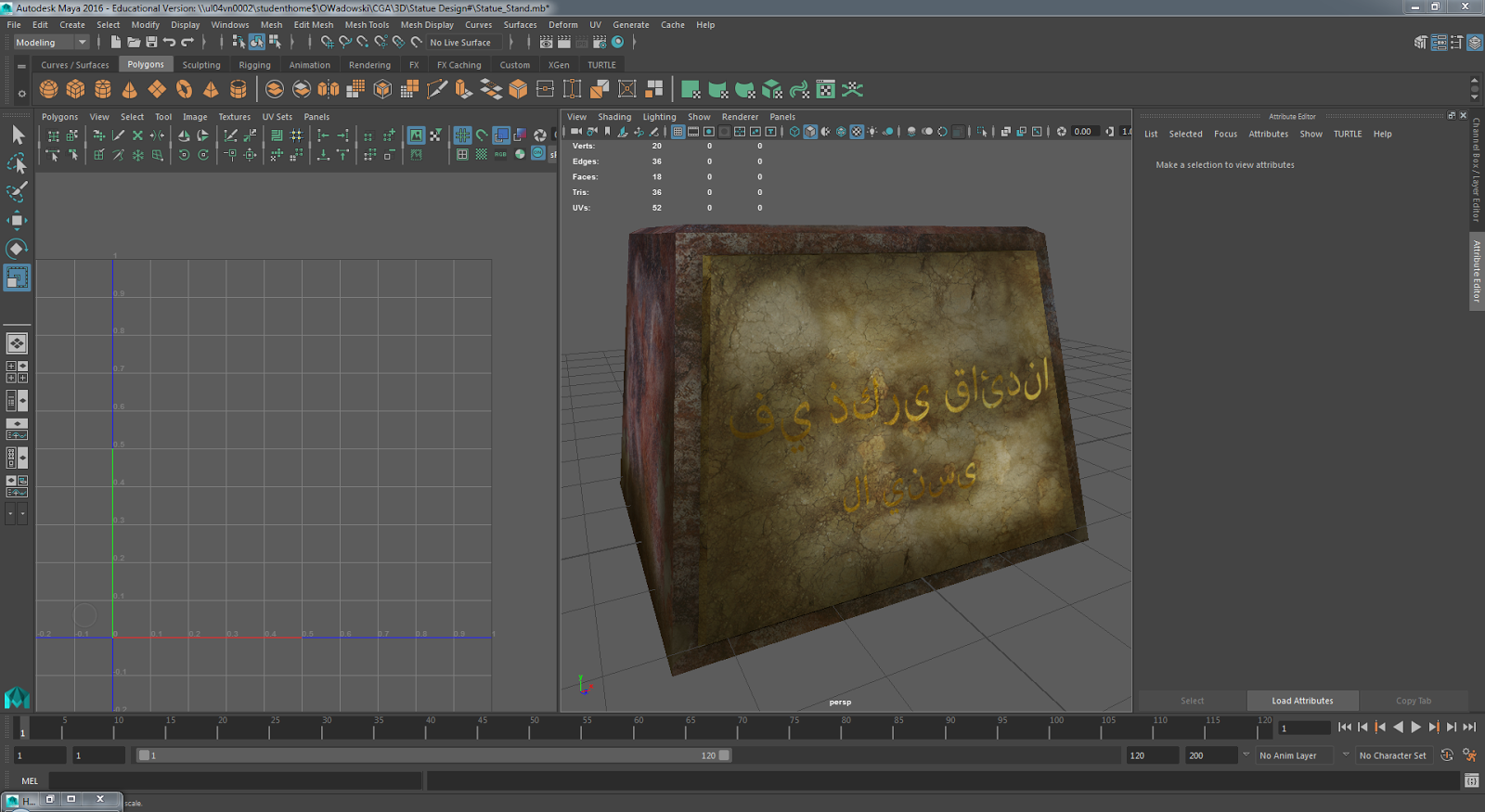
Statue Sign

 This is a stand on which the stature will be placed upon, the sign is made of marble texture and is covered in dirt and mud like the rest of the battle arena, it also has damage marks and scratches.
the sign text is gold plated and it says "in memory of our leader, never forgotten" this is a simple text and can be applied to any dictator-like character in Middle-eastern region praised by his people.

Thursday, 10 December 2015

Texturing C4 easter-egg


Fully Hand Drawn textures for C4 Easter-egg from Counter Strike (inspiration for the map aesthetics and design)


I started of by putting "coats" of layers on the bottom and gradually adding more and more tones to then add details. I used an image for reference of the original C4 used in iconic shooter Counter Strike.


using a palate I was able to save most important tones and reuse them for different Faces I had to texture.


to make the texture I was using special rendering brushes and adjusting the layer settings to create different effects and slowly bringing depth into the object.


Image of the UV editor in Maya 2016


Using a different, sharper brush I was adding more detail in the 4th coat (coat being a folder with layers) using the smudge tool I'd blend the texture to create depth.


I would preview the progress in the engine I'd find imperfections to fix and to see if the whole thing is coming up well.


using less layer opacity and harder brushes and darker tones I'd add details to folding and edges.


Complete texture in Photoshop, exported as simple JPEG and added to the 3 C4 assets hidden around the map.


final texture on the asset on the Battle Arena.


REFERENCES


BLOG URL https://www.blogbooker.com/blogger.php


References


Walking Simulator- Dream:Maze Sequence

Dream

the maze sequence


Dream is a bizarre game that puts player in different dream inspired locations where they have to pass through to progress, the game's genre changes as rapidly as a dream can, from a puzzler turning into a horror experience. Players must find and jump though worm holes in order to get though different sequences in order to finally wake up, with a plot twisting ending.

Maze features animated levers with sounds when activated
triggered events
easter-egg
Collision sounds with the hedges
and other animated events that work as game mechanics such as simple mushrooms shrinking when walked by to show locations player already passed through.

the game also has spaceships, yes.


Making BattleArena buildings and props


Texturing my Battle Arena

here are some screenshots of the texturing progress which brought the boring greybox to life.


UV Editor

Using UV editor I was able to position all the Shells (faces) of the object the way I wanted so they are easier to texture, for example placing walls that will have same colour texture next to each other.
after I had all the faces positioned in the right order I could bake the texture and the ambient for high quality textures and import them into Photoshop.

Texturing


After setting all the images in my preferred layout, low opacity UV_Snap on top, Ambient texture under and the texture images in separate folder where I could duplicate them in to my working folder where I'd often use stump tool to mix textures and make unique variations of each walls so they all look different.


I textured every part of every building by hand using brushes and stump tool as well as cutting up textures, re-sizing them and adjusting different layer settings to make new details.


This is an example of half finished texture that I'd apply to a model in Unity engine to check if all walls and details looked right, when I saw that it needed adjustments I'd edit it more, else I'd proceed to add details like graffiti and dirt marks.


Finished texture on a model rendered in Unity engine.


Many textures were drawn by hand using brush tools, for example this window texture has the glass section drawn by hand on multiple layers to make a illusion of depth and glass gloss and dirt.
(I made multiple textures for this objects to add variety, some included curtains and more dirt)


this is an example of the dirt effect effect which I made using 3 layers set to 20% opacity and a special rendering brush which I also adjusted to suite my needs.


Some textures like the main building being a Mosque or some type of Historical architecture where created using many different textures applied on top of each other and adjusted with stump tool and other colour adjustment tools to create unique patterns that'd fit the style of the building.


Texture for the front of the "Mosque" (half finished)


Texture of the back part of the building. (also not finished, used to test when previewing the texture in Unity to see imperfections)

showcase

Mosque

Market
Van (without normal map)


View from ramp


This is my first ever map created in 3D as well as first ever experience with texturing and modeling; but also using a Game Engine.